
Keep your agents in ship-shape,
from your Mac menu bar.
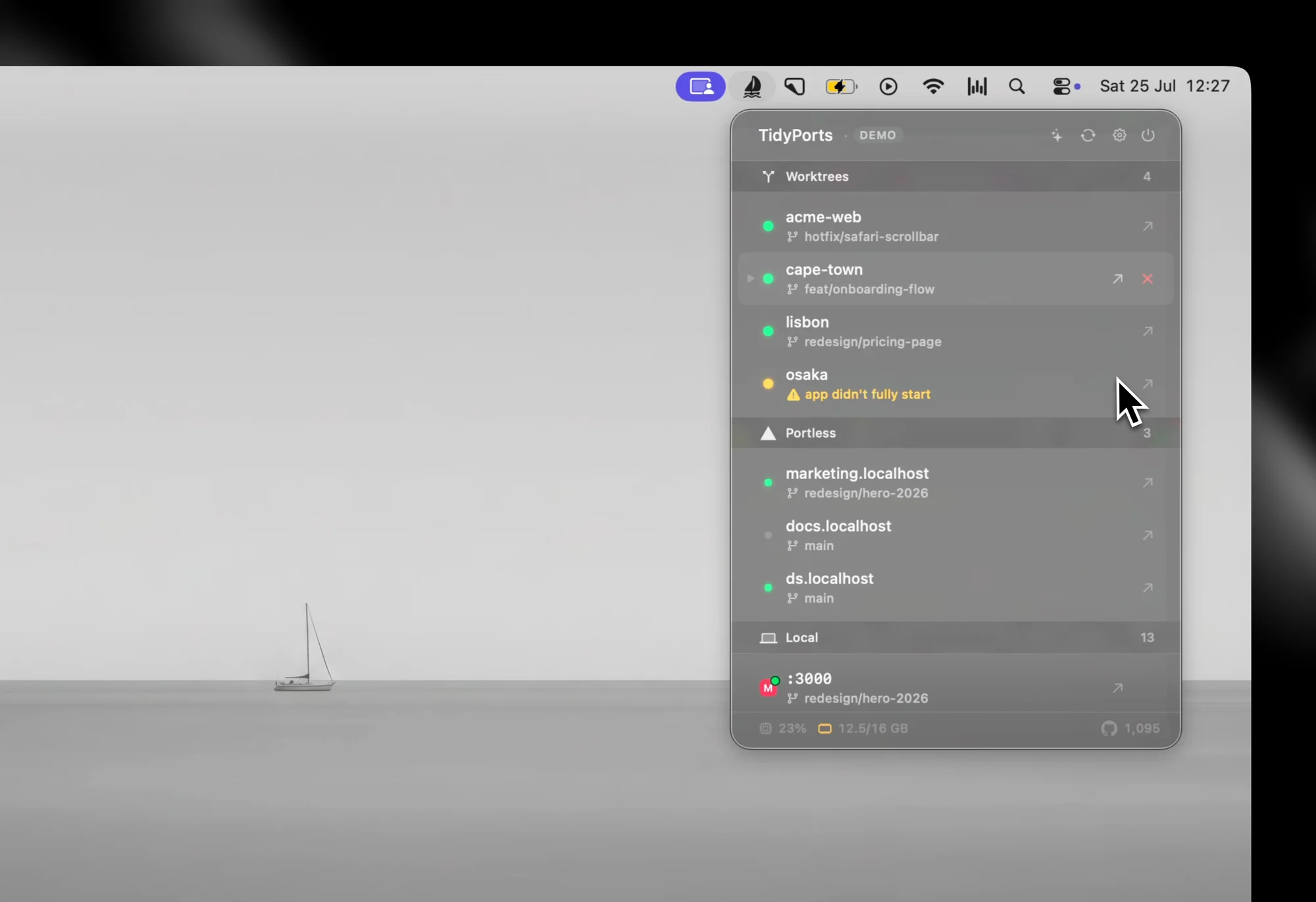
TidyPorts is the new macOS menu bar app that helps you stay in control, by tracking your dev servers across projects in a super simple format.
Works with
Every dev server shows live CPU, memory, and the branch it's on.
One click clears every stray server, instead of lsof | kill -9.
Every port says which agent opened it, and from which terminal.
Your Mac stays awake while agents work, even with the lid closed.
Frequently
asked questions
A macOS menu bar app that shows every dev server running on your Mac: the port, the project, and what launched it. Open one, inspect it, or stop it from one place.
Nothing extra. Download the app, open it, and your local ports appear. Docker, worktree, and Apple container sections only show up when TidyPorts detects them on your machine.
Yes. Every server traces back to the agent, surface, and worktree that launched it, so parallel Claude Code, Cursor, or Codex sessions stay readable at a glance.
No. Your code and projects never leave your Mac. The app sends anonymous usage counts, which you can switch off, and checks for updates — both are covered on the privacy page.
macOS 15 or later, on Apple Silicon and Intel.
It's free.